This is Phase 1 of my SC-500 project. Phase 0 got the tenant into a usable state: a dedicated Global Administrator, a break-glass account excluded via an assigned group, test users and groups, MFA, and the Microsoft Entra ID P2 trial needed to unlock Privileged Identity Management (PIM).
The goal of this phase is to eliminate standing privilege, including taking a privileged role that would normally sit as a permanent active assignment and converting it into an eligible assignment that requires just-in-time (JIT) activation, with the uses of MFA, justification, approval, and a time-bound activation window.
1.1 Reviewing the Current State
Before changing anything, it is advised to get into Entra admin center → Identity Governance → Privileged Identity Management → Microsoft Entra roles → Roles, to see how role assignments looked before any JIT controls were in place.
1.2 Creating an Eligible Assignment
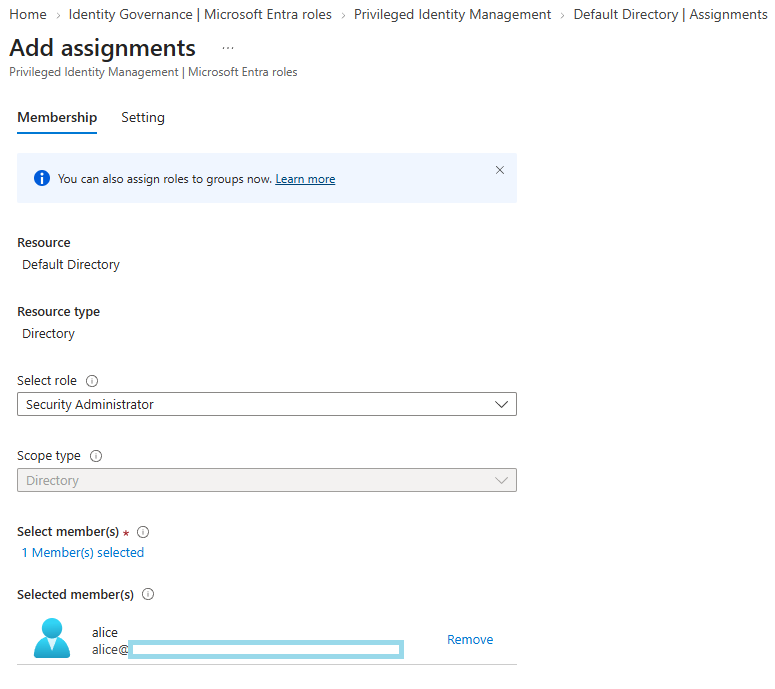
Next, I created a new role assignment for alice.
PIM → Microsoft Entra roles → Assignments → Add assignments, role: Security Administrator. And selecting alice as the member:
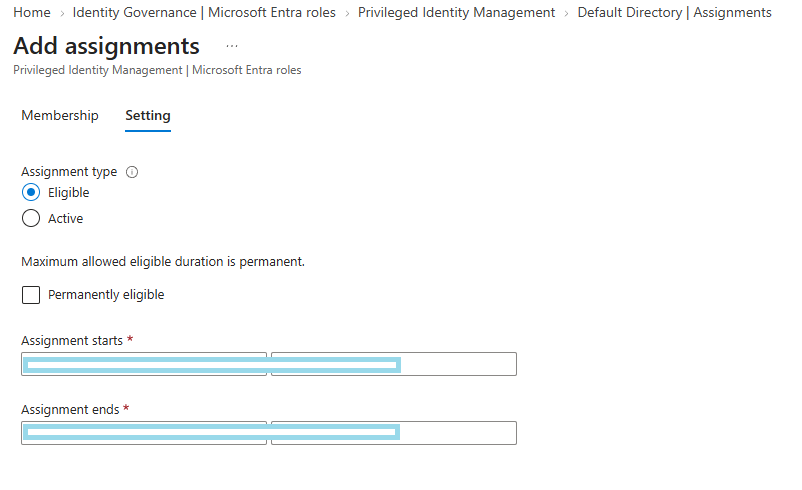
The important part is the assignment type. It’s tempting to leave this on the default, but the whole point of this phase is that nobody gets a standing active assignment. So this has to be set to Eligible with a time-bound duration:
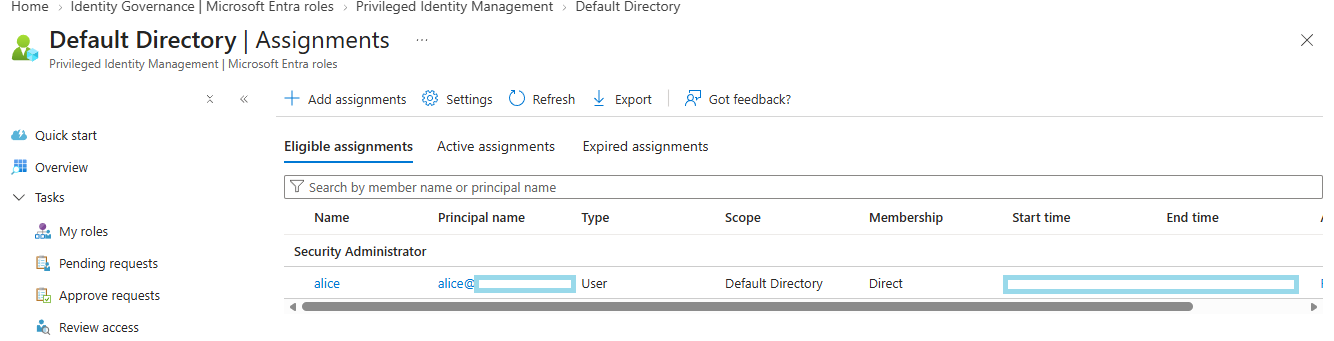
Eligible on its own does not do much yet. It just means Alice can activate the role. What actually enforces JIT behaviour is the role’s activation settings, which is the real point of this phase.
1.3 Configuring Role Settings
This is where the actual JIT design lives. PIM → Microsoft Entra roles → Settings → Security Administrator → Edit.
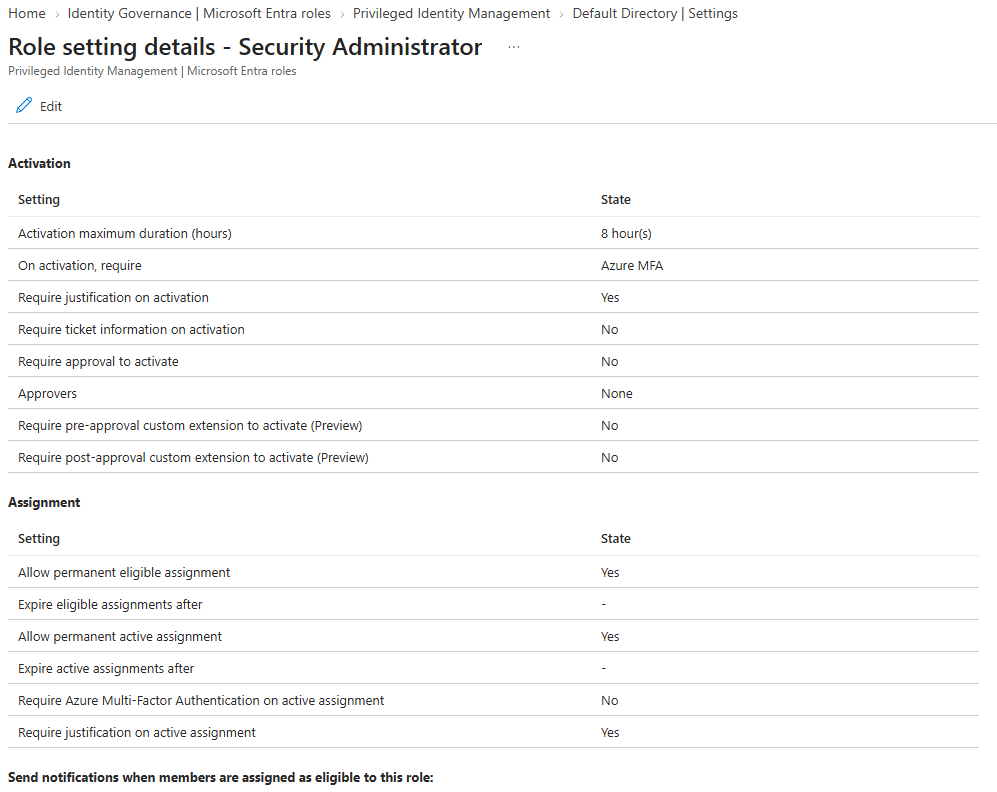
On the Activation tab:
- Activation maximum duration: 2 hours (not the 8-hour default)
- ✅ Require multifactor authentication on activation
- ✅ Require justification on activation
- ✅ Require approval to activate → approver:
labadmin
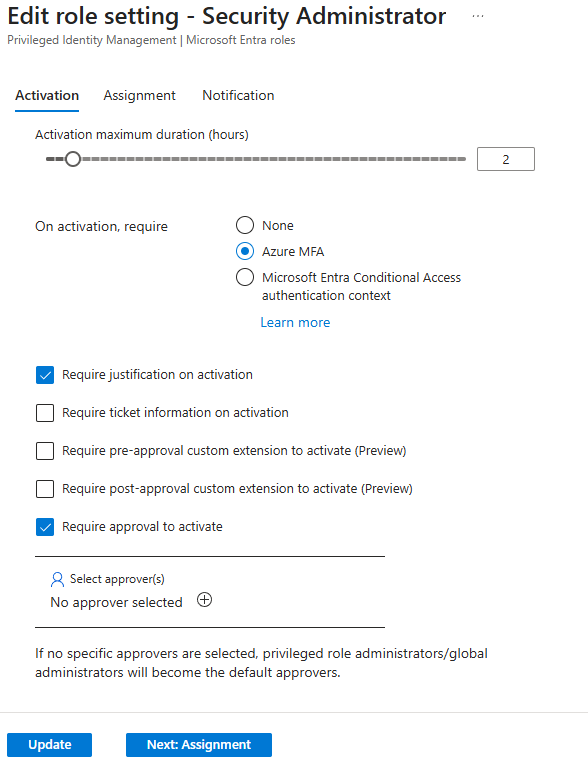
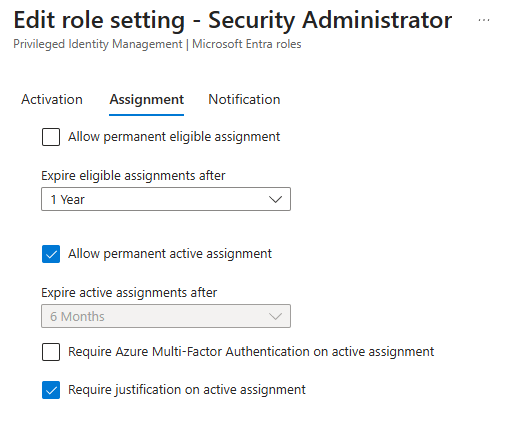
On the Assignment tab:
- ❌ Uncheck Allow permanent eligible assignment — this forces every eligible assignment on this role to carry an expiry, with no way to make it standing.
On the Notification tab, I also enabled email notifications on activation, so activations don’t happen silently.
Decision log: Why set the activation window to 2 hours instead of leaving the 8-hour default? This comes down to least privilege. As far as I know, the shorter the privilege window, the smaller the opportunity for it to be misused, whether that’s an attacker riding a hijacked session or just an admin forgetting to close a tab. An 8-hour window covers an entire working day, which is functionally no different from standing access. It violates the purpose of JIT.
1.4 Testing the Activation Flow
With the role settings in place, I tested the full activation path end to end.
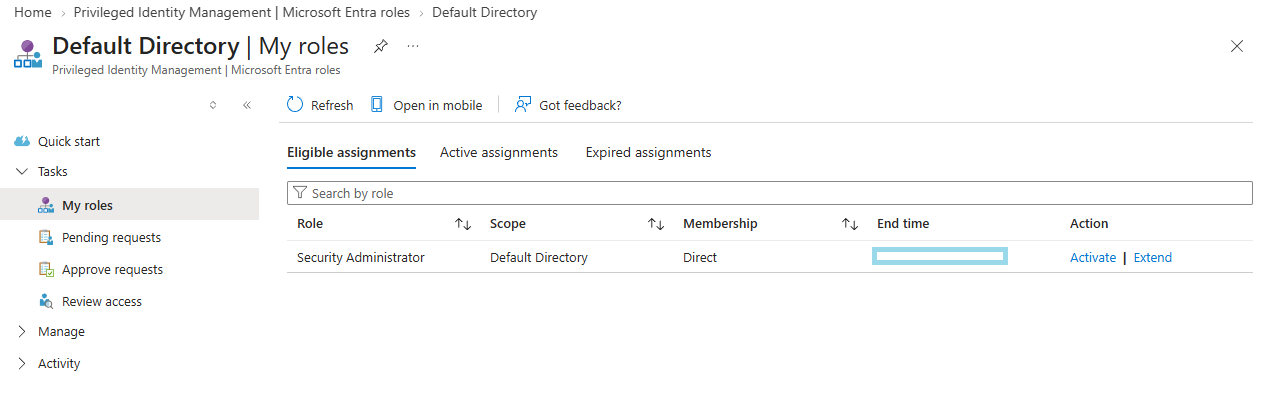
Signed in as alice (in a private browser window), I went to Entra admin center → Privileged Identity Management → My roles, selected Security Administrator, and activated it:
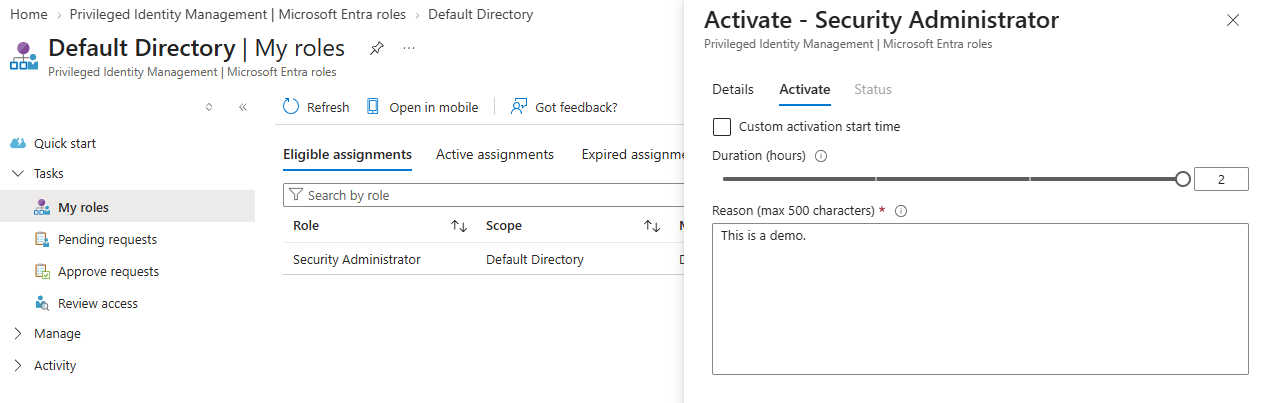
Because justification is required, I had to fill that in along with the activation duration before submitting:
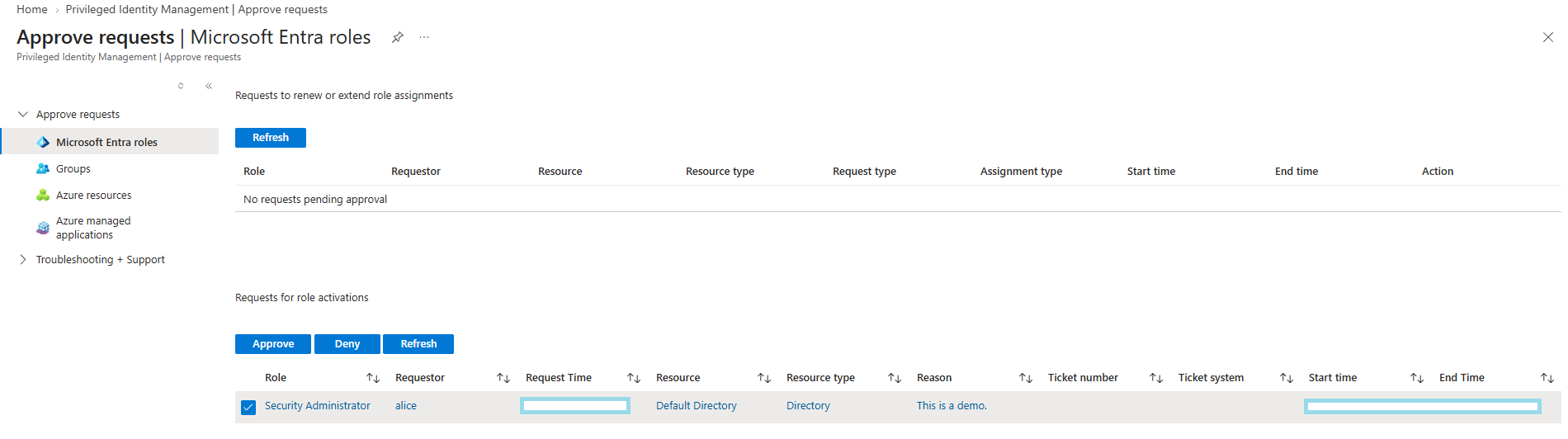
Switching to labadmin, I went to PIM → Approve requests and approved Alice’s activation:
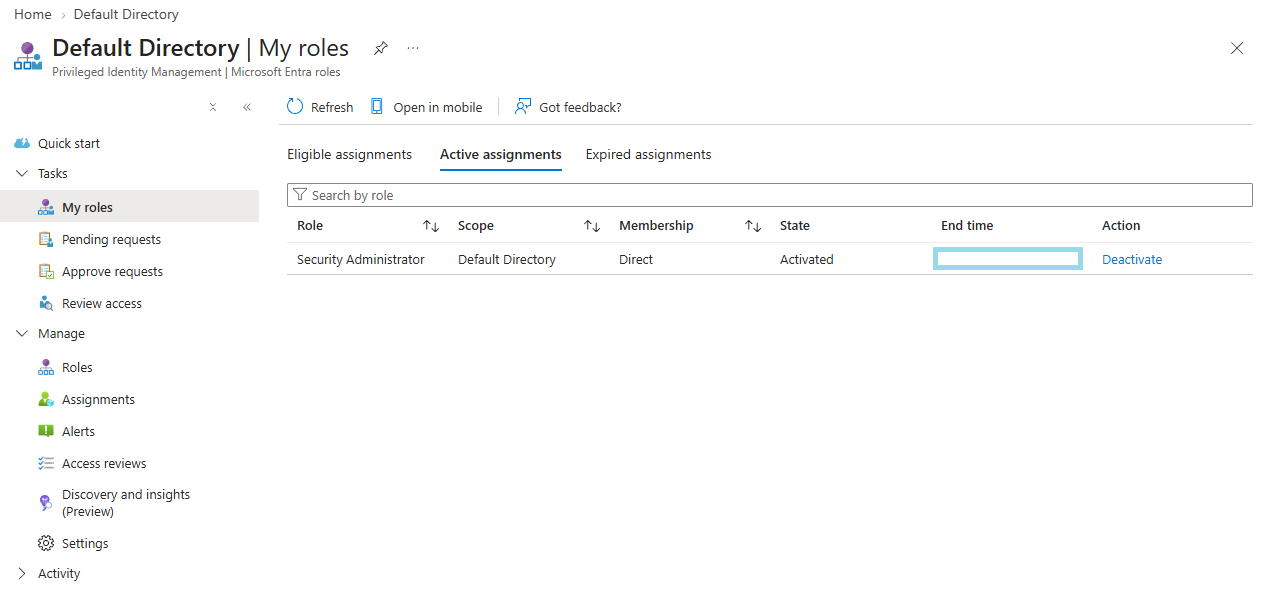
Switching back to alice, the role now showed as an activated state, confirming the end-to-end JIT flow actually works.
1.5 Setting Up an Access Review
Eligible assignments and activation controls handle the moment-to-moment JIT flow, but they don’t answer a different question: does Alice still need eligibility for this role three months from now? That’s what access reviews are for.
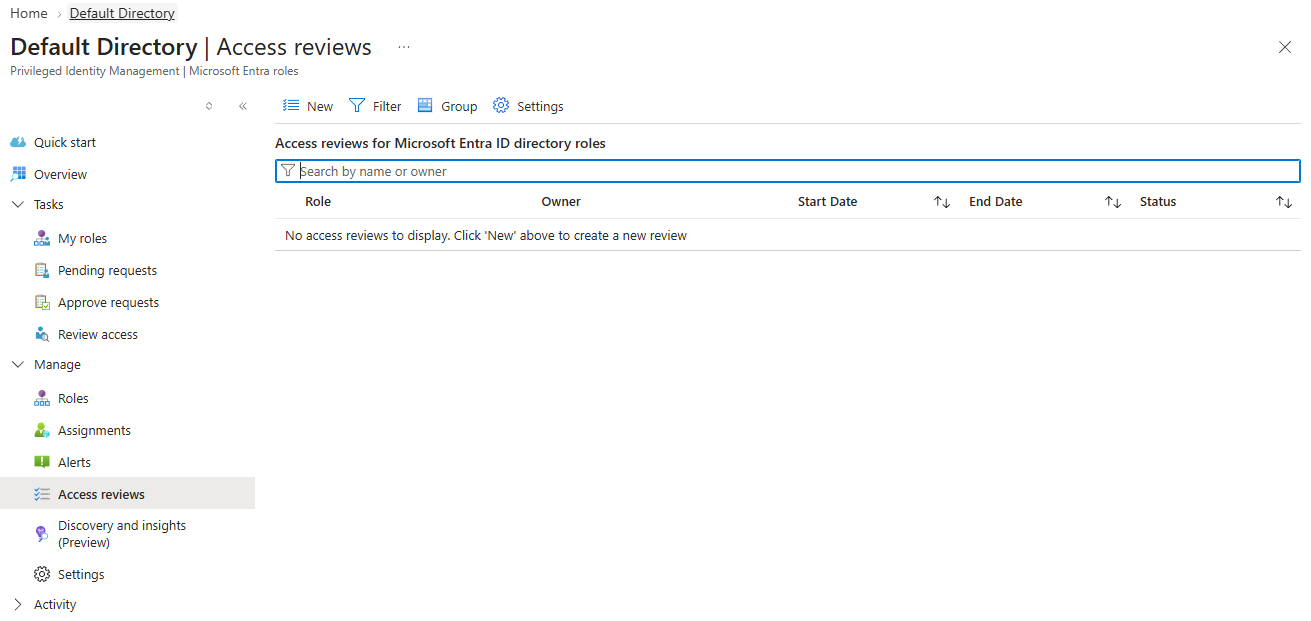
PIM → Microsoft Entra roles → Access reviews → New.
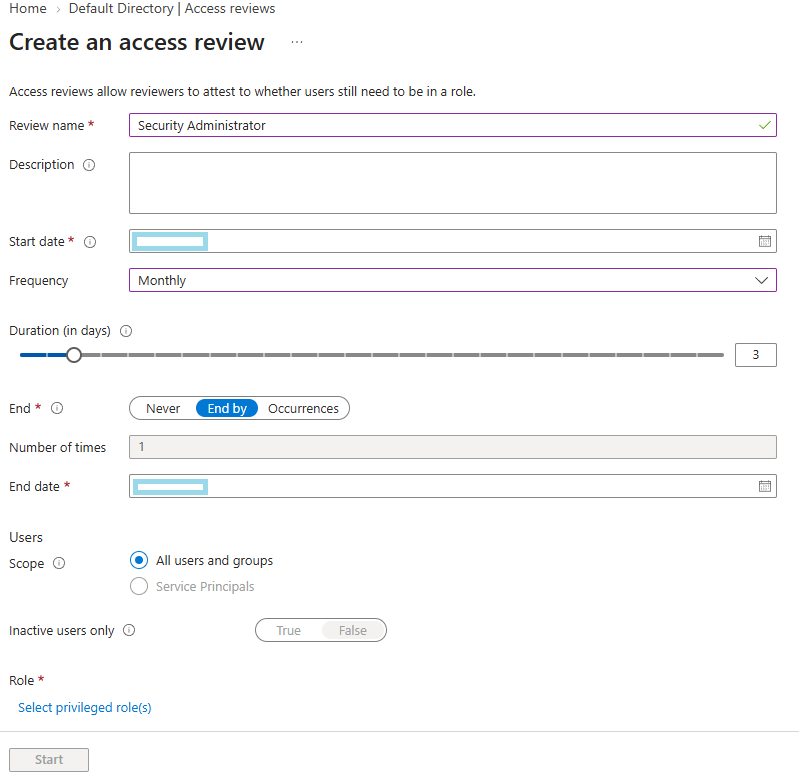
I scoped the review to the Security Administrator eligible assignments, set labadmin as the reviewer, and set the frequency to monthly:
The setting that matters most here is what happens if the reviewer doesn’t respond. I set this to Remove access, under the “upon completion” settings:
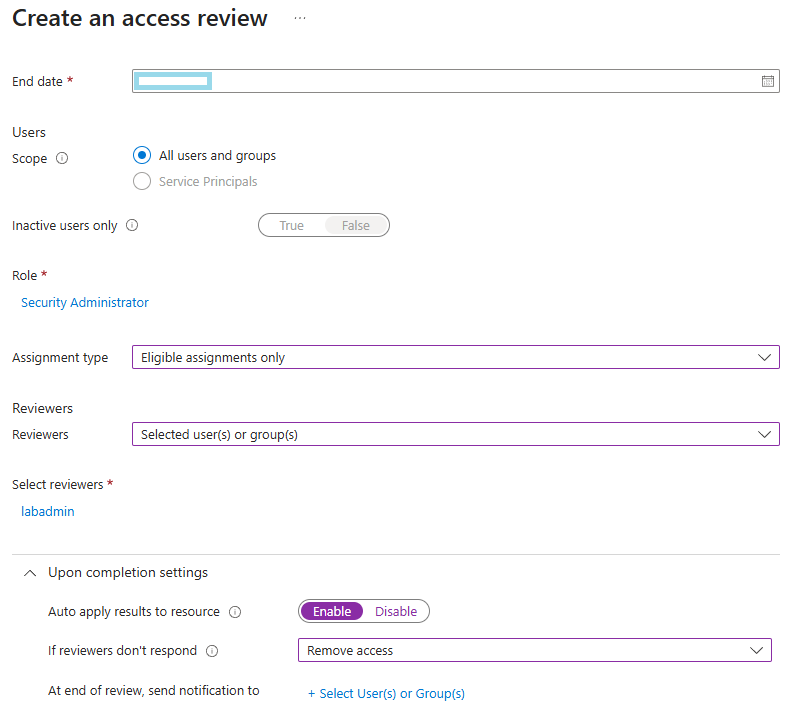
Once created, the review showed up as confirmed:

and I could drill into its details:

and see it listed alongside any other reviews configured on the tenant:
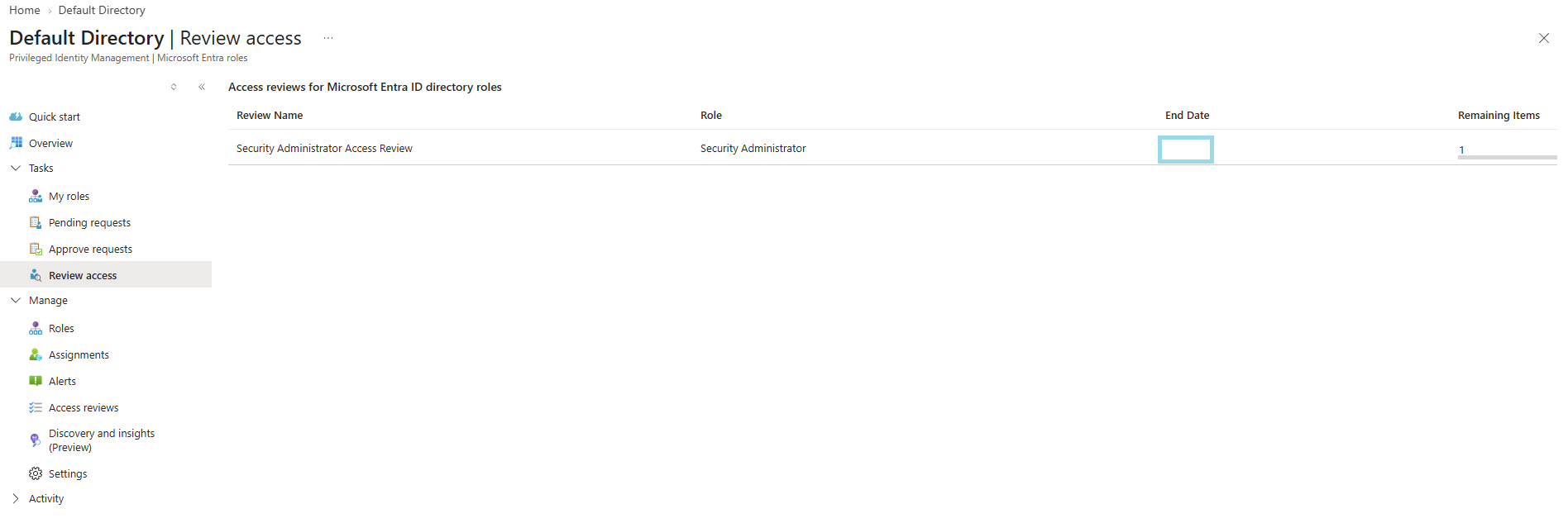
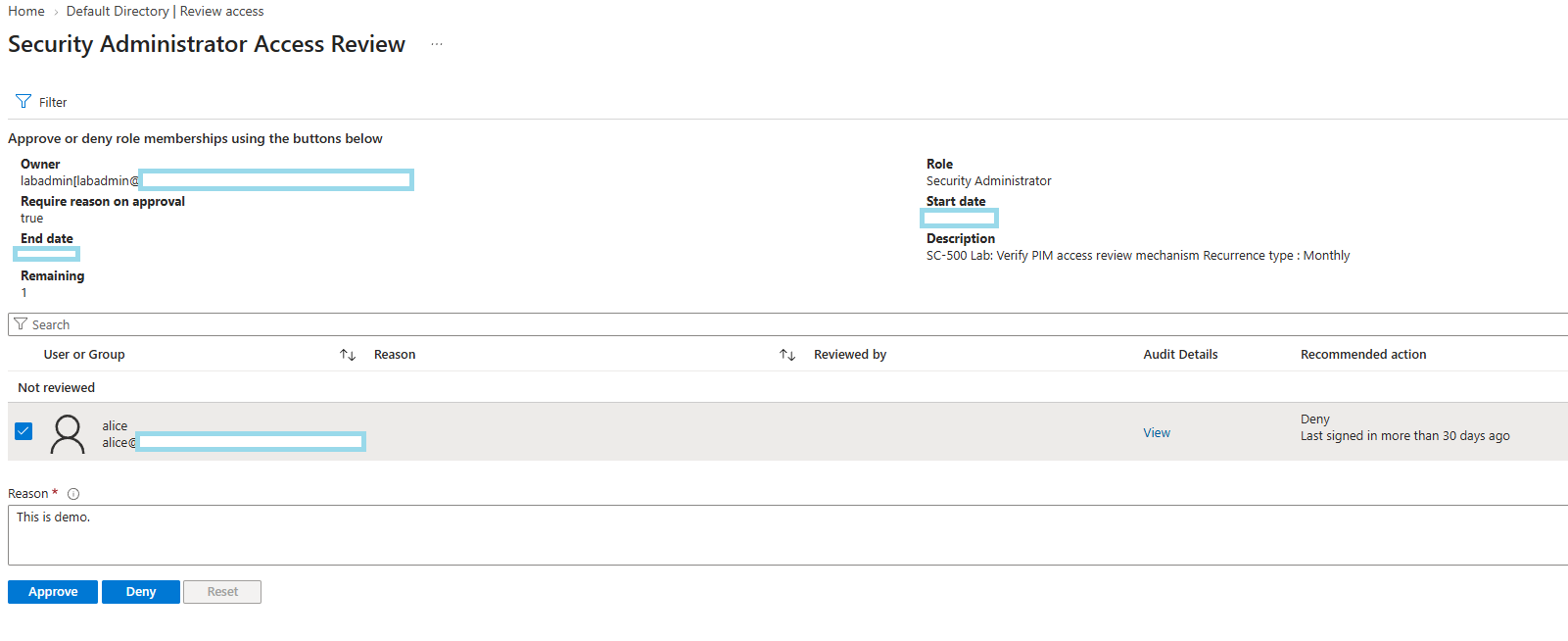
To confirm the reviewer side of the flow, I stepped through the review as labadmin and approved Alice’s continued eligibility:
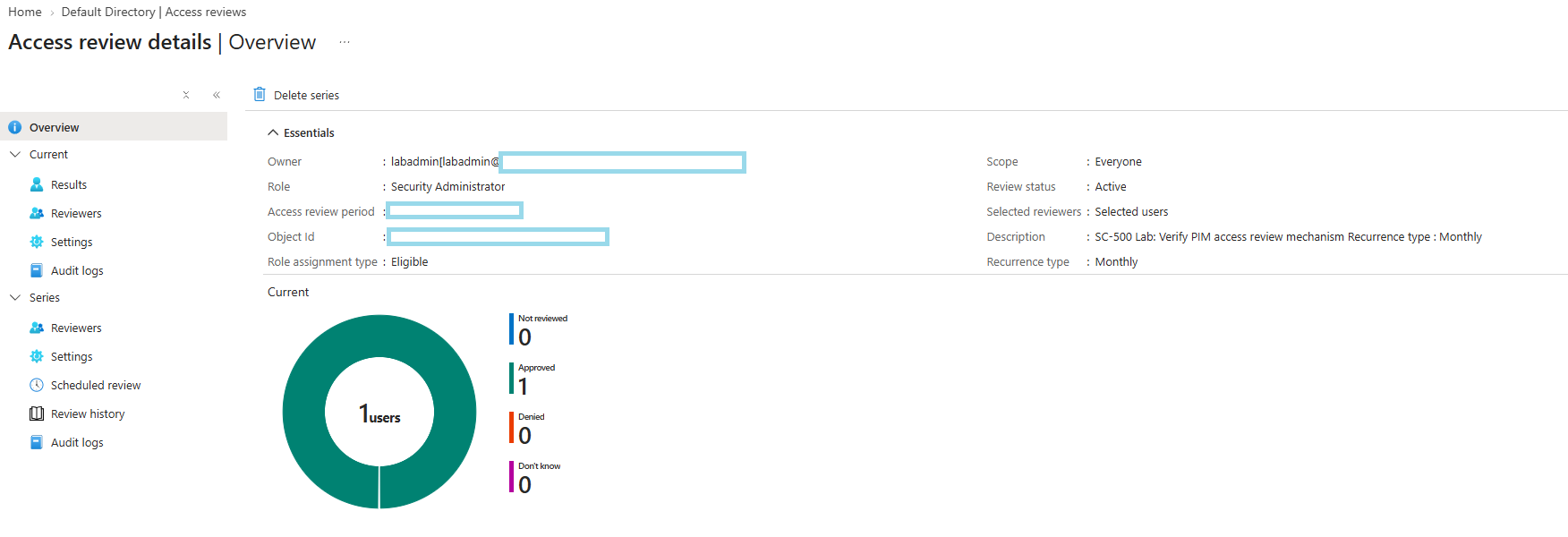
which produced a logged decision I could go back and audit later:
Decision log: Why auto-remove instead of auto-approve if the reviewer does not respond? As I as I know, this is a fail-safe design choice. With auto-approve, silence keeps access. The review becomes a formality: the process exists on paper, but nothing was actually checked. With auto-remove, the worst case is someone loses access they still needed. They will complain within hours, and you restore it. That’s a visible, cheap failure. The opposite failure is invisible. Nobody notices until that account gets compromised. The two failure modes don’t cost the same. Design for the one that makes noise.
Wrapping Up
By the end of Phase 1, Security Administrator on this tenant no longer has any standing active assignment for alice. Her access exists only as a time-bound eligible assignment that requires MFA, justification, and approval to activate, and expires automatically both after each activation and if a monthly access review goes unanswered.
The next phase will move into Conditional Access. I would try to build the policies that decide who gets challenged, blocked, or granted access based on signals like device compliance, location, and risk, and layering that on top of the identity foundation and JIT model built so far.